
PS5 maintenance guide puts dust removal and airflow first
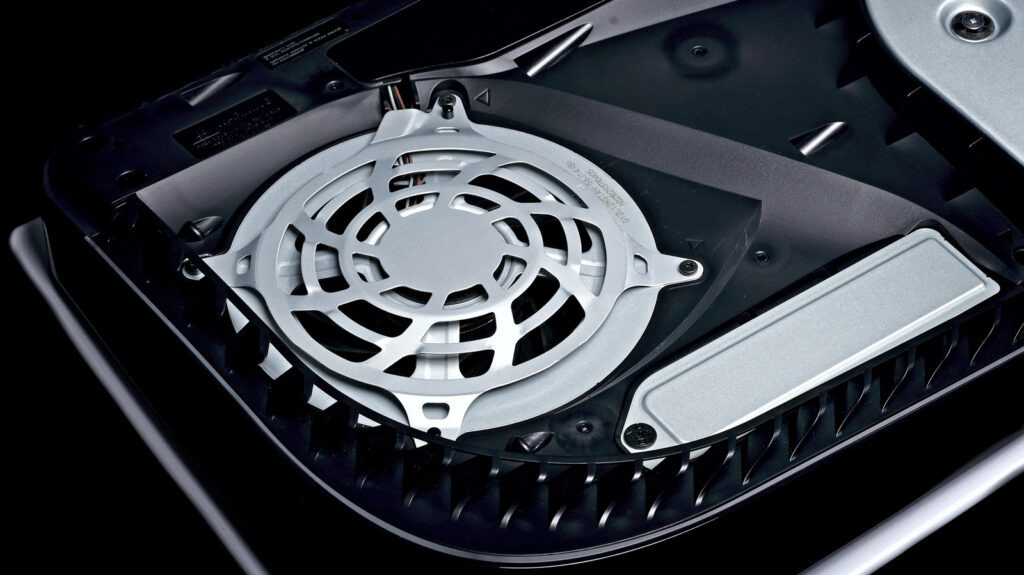
Keeping a PlayStation 5 clean starts with modest maintenance, according to Engadget’s cleaning guide, published November 1. Its advice focuses on removing accessible dust and giving the console room to ventilate, with basic cleaning requiring no internal teardown.
The guide explains that accumulated dust can restrict airflow, making cooling more difficult. It also cautions that aggressive cleaning can damage the console, so the scope of the work matters as much as removing the dirt.
Start with the exterior
Before cleaning, Engadget advises shutting down the PS5, disconnecting its cables and allowing it to cool. The console should then sit on a clean, flat surface.
For exterior surfaces, the report cites Sony’s recommendation to use a clean, soft cloth without excessive pressure. It also relays Sony’s warning against alcohol, which may discolor or degrade materials, and advises avoiding bleach and chemically treated cloths.
Accessible dust around the vents can be addressed with a small handheld vacuum, according to the guide. Its emphasis is on gentle cleaning rather than powerful equipment.
Cover removal has limits
The PS5’s removable covers provide access to additional trapped dust. Engadget notes that removal procedures differ between the original console and Slim or Pro models, directing readers to Sony’s model-specific instructions.
Once the covers are off, the guide recommends cleaning reachable areas with a microfiber cloth and handheld vacuum. Disconnecting the fan or removing internal screws is unnecessary for that level of maintenance. It also warns that damage caused by unauthorized internal work is excluded from Sony’s warranty.
Correctly refitting the covers matters for airflow. Placement matters, too: the guide recommends at least four inches between the console and walls, avoiding cramped enclosures and cleaning the surrounding area to reduce nearby dust.