
FlyPhotos offers Windows users a customizable approach to local image viewing
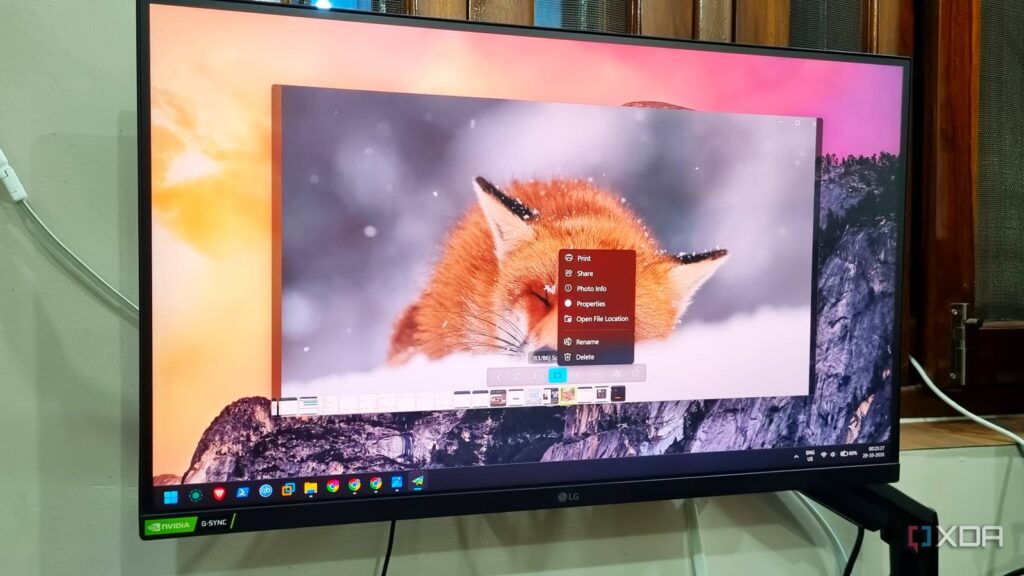
Windows users looking for a dedicated local image viewer have another option in FlyPhotos, a free, open-source alternative highlighted in an October 29 report from XDA Developers. The publication’s author describes several weeks of use, reporting responsive browsing alongside extensive interface customization.
The appeal centers on a specific PC task: opening and moving through image folders. XDA’s author says FlyPhotos handled a folder containing hundreds of images without visible loading indicators. That is a personal observation from the source, rather than a benchmark establishing how the application performs across different systems.
Controls tailored to image browsing
According to the report, FlyPhotos provides controls for moving between pictures, fitting an image to the window and rotating it. Users can hide interface elements, add image-related information and choose different backgrounds.
Startup settings can launch the viewer in full-screen mode or restore its previous state. The application also supports multiple windows and configurable keyboard and mouse controls, giving users more ways to organize their viewing experience.
XDA reports support for RAW and PSD files, with Windows Imaging Component codecs used to handle multiple image formats. For PC users who keep screenshots alongside design files, that format coverage could make a dedicated viewer useful beyond browsing ordinary photos.
Memory use remains a consideration
The source also identifies a tradeoff: its author observed FlyPhotos using more than 300MB of memory, exceeding Photos in their comparison. That observation matters when weighing the application for a PC with limited resources, although the report does not provide a standardized performance test.
XDA’s author saw no ads or promotions in the GitHub version they used. The article separately mentions user complaints about the Microsoft Store version; those complaints should not be treated as a confirmed description of every installation.